AI Card Bao DAUFANKXIPTURBO.AICARDBAO.COM
AI TOOL / #07881

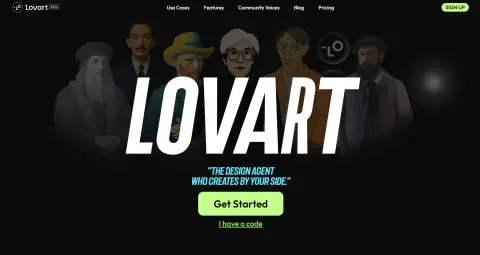
Lovart

The most powerful design intelligence agent
Introduction

Recently, a tool called Design Agent has become extremely popular overseas. Even the big names in the North American design community are using it – and that tool is Lovart. After several days of practical testing, I have discovered five incredibly useful ways to use it, and each one of them really amazed me! All you need to do is enter the relevant commands, and the Agent will automatically start designing for you. You can even make changes verbally – your instructions are immediately translated into actual design actions. Well, designers might have to worry about losing their jobs again…

Lovart is truly much better than I had imagined it to be. Seriously, designers have never had such a great tool at their disposal. I thought I would no longer be impressed by AI tools anymore, until Lovart helped me create an entire set of PPT templates that could be seamlessly integrated into my own designs. There was no need for fancy displays or a mere collection of different tools; instead, it combined the most advanced AI models in the fields of images, videos, and audio to create a practical and useful design system. Well, I won’t say more – you should give it a try yourself.

What is Lovart?

An AI Design Agent that “understands your needs” can automatically understand the requirements of a task, plan the entire process, and generate a complete set of visual designs – it’s far smarter than traditional image generators!

What can it do?

Graphic Design: Logos, posters, social media visuals
3D Modeling: Product Prototypes, Packaging Design
Dynamic content: short videos, background music, and basic voiceovers.

✨ What are the highlights?

✅ Automatic requirement breakdown: Once you describe your needs in a single sentence, Lovart will automatically break down the task into smaller components, generate ideas, determine the style, and select the appropriate model.
✅ Multi-model collaboration: Images, audio, animations, etc. – automatically utilize OpenAI/Suno/Tripo models for processing.
✅ Interface similar to Figma: Supports layer adjustment, partial modifications, and selective redrawing – even professional designers can easily get started using it.

Actual test: Using Lovart to create a “REDnote IP avatar” or a “personalized profile image”.

Visits:130 Updated:2026-11-24 Popular tools

Related

Zhide AI Resume “Zhidu AI Resume” is a powerful online AI tool for creating resumes. It combines three key functions: AI-based resume generation, AI-assisted resume polishing, and AI simulated interviews. By simply entering the name of the desired position, users can generate a resume that perfectly matches the requirements. The platform also offers a vast collection of free resume templates, and the AI automatically optimizes the layout of the resume. Linggou AI Notes Linggou AI Notes is a team collaboration platform that integrates note-taking, AI creation, and knowledge management. It is a powerful productivity tool. With a simple prompt, AI can help you generate creative content, such as work reports, Xiaohongshu copy, event proposals, thesis outlines, and more!!! In addition to being able to... Wondershare PDF Wondershare PDFelement is an all-in-one PDF editor that lets you edit any PDF file directly just like a Word document. It works across all platforms—phones, computers, and tablets are all supported! Free download from the official PDF website: Click here. In addition to editing PDF documents, you can imagine... International Music Score Library It boasts the world’s largest collection of free public copyrighted musical resources, including sheet music and recordings. The website is available in multiple languages, including Chinese, but users should be aware of the copyright laws in their own countries when using it. All content can be downloaded for free~~ To date, 214,386 works by 26,190 composers have been included in this collection. Paper Download Center Using the search function redirects you to a paid page, so this site has taken it down! Only the introductory article is kept. The website is called: Free Paper Download Center. It doesn’t look like a high-quality site, but it’s really convenient and easy to use! The site requires no login and has no restrictions; all documents are completely free. Lenovo Widgets Lenovo Quick Fix consists of hundreds of intelligent tools provided by Lenovo’s official knowledge base, designed to help solve various minor problems that may occur on Windows computers. These are independent and practical tools developed by Lenovo specifically for use on Windows systems – for example, they allow you to disable the automatic update feature in Windows 10.