AI TOOL / #07843
WeChef
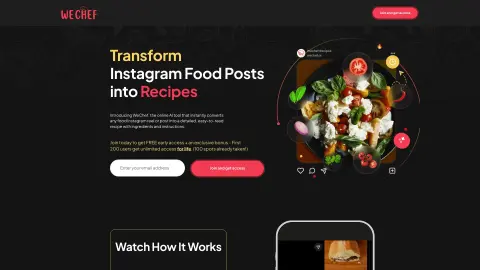
WeChef.ai converts Instagram posts about delicious food into easy-to-follow recipes and organizes them accordingly.
Introduction
WeChef.ai converts Instagram food posts into easy-to-cook recipes and organizes them.
What is WeChef.ai?
WeChef.ai converts recipes or short videos/dposts about food on Instagram into a format that is easy to follow when cooking – and this process takes just a few minutes. It also saves all the extracted recipes in a personalized list for users. Users can simply send the recipe links directly to @WeChef.ai on Instagram. WeChef helps users create their own personal Instagram cookbook, bringing all their favorite recipes together in one place and providing them with beautifully formatted cooking instructions. It turns any short video or post about food on Instagram into a detailed and easy-to-read recipe, including a list of ingredients and step-by-step instructions.
How to use WeChef.ai?
1. Find a recipe on Instagram.
2. Use the “Share” button to copy the link.
3. Open a private message with @WeChef.ai, paste the link, and send it.
4. Click on the link in the message you received that contains the text “Your Recipe”.
The core features of WeChef.ai
Turning Instagram food posts into easy-to-follow recipes
Save the extracted recipes to your personalized list.
Organize the recipes into an Instagram cookbook.
Provide detailed and easy-to-read instructions for preparing the recipe.
Related
TemPolor
An AI music platform that generates customizable music without any copyright restrictions.
AI Content Detector
Evaluate the accuracy of 13 AI detectors in identifying content generated by artificial intelligence in the year 2025.
Riffusion
Generative AI musical instruments enable the creation, remixing, and sharing of high-quality songs based on textual prompts.
HeyGen
AI-generated digital human videos
HoldTalk
Use the Mac’s voice input feature by holding down the FN key while speaking.
Hera
An AI canvas that integrates image design with dynamic effects