AI TOOL / #07145
Pic to Text
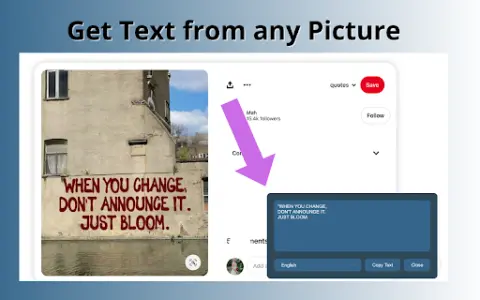
A free web-based tool for extracting text from images using OCR technology.
Introduction
A free web-based tool to extract text from images using OCR technology.
What is Pic to Text Converter ai chrome extension/plugin?
Image to Text Converter is a web-based tool that allows users to extract text from images using optical character recognition (OCR) technology. It supports multiple image formats and languages, providing a free and unlimited way to convert images into editable text.
How to use Pic to Text Converter ai chrome extension/plugin?
To use the image-to-text converter, upload an image via the "Choose File" button or drag and drop it into the input area. Click the "Extract Now" button to start the OCR process. The extracted text will be displayed and can be copied, downloaded or shared.
Pic to Text Converter ai chrome extension/plugin core features
Accurate OCR software
Multi-language support
Easy to share
No installation required
Free and unlimited use
Related
RateMyJD by Dover
Smart tools are used to improve job descriptions and attract top-tier talents.
CoverSentry
Using AI to write cover letters? It’s best to scan it before sending.
Deep Find
A web text detection tool capable of identifying content generated by AI.
Detect GPT
A Chrome extension for detecting AI-generated content on web pages.
AI Detector Writer
A free AI-based content detection tool, used to analyze and refine content before sharing it.
DeepCite
DeepCite traces the origin of information to verify its reliability.