AI TOOL / #06724
MeetGeek: AI meeting summaries and transcription
Intelligent meeting assistant – enables automatic note-taking and enhances collaboration.
Introduction
AI-powered meeting assistant for automated note-taking and enhanced collaboration.
What is the MeetGeek AI Chrome extension/plug-in?
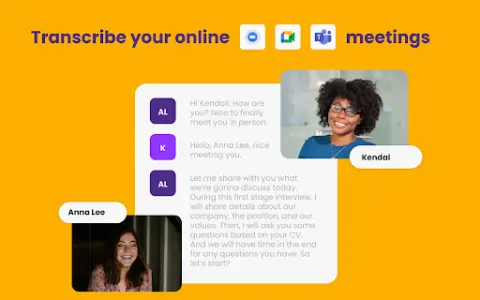
MeetGeek is an artificial intelligence-powered tool designed to enhance the experience of online meetings by automatically taking notes. It integrates seamlessly with platforms such as Zoom, Google Meet, and Microsoft Teams, offering features like automatic follow-up actions, in-depth analysis, detailed AI-generated transcripts and summaries, customized automation options, as well as seamless sharing and collaboration capabilities.
How to use the MeetGeek AI Chrome extension/plug-in?
To use MeetGeek, download the Chrome extension, add it to your browser, and then log in or create an account. Once that is done, the recording assistant will automatically join your meetings. You can customize the meeting settings, invite the recording assistant to participate in the calls, and view the meeting recordings as well as pause/resume the recording process through the control panel.
The core functions of the MeetGeek AI Chrome extension/plug-in
Automatically record notes
Transcriptions and summaries generated by AI
Automatic follow-up
In-depth analysis
Customized automation achieved through Zapier integration.
Seamless sharing and collaboration
Related
Pacific Download
Software download site
AdGuard
Ad blocker
LeetCode
Algorithm Practice Platform
Zlibrary
Zlibrary is known as the world's largest digital library, containing 9,826,996 e-books and 84,837,646 journal articles. From various well-known literary works, science and engineering, humanities and arts, to academic papers, etc.! Support PDF, epu
UPDF AI smart editor
UPDF is a tool that integrates PDF editing and AI document processing. It supports modifying text and pictures, adding annotations, format conversion and OCR text recognition. It can also use AI to summarize content, translate documents, explain difficult points, and conduct Q&A around PDF, which is suitable for discussions.
WLoc8
OpenHRTT WLoc is an open-source tool for assisting in the network-based location determination on iOS devices. It allows you to modify the location information displayed on your phone. There are two main sources for determining the location of iOS devices: one is GPS satellite signals, and the other is network-based positioning through Wi-Fi connections and cell towers.