AI TOOL / #06677
Voice Control for Netflix
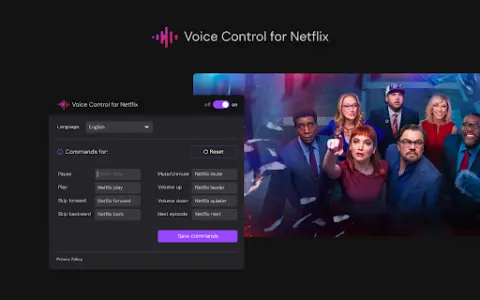
Use voice control to operate Netflix: play, pause, fast-forward, and more.
Introduction
Control Netflix with your voice: play, pause, fast-forward, and more.
What is the Voice Control for Netflix AI Chrome extension/plugin?
Netflix’s voice control allows users to manage their Netflix experience via voice commands. This includes tasks such as playing, pausing, and advancing videos, all without the need to use a remote control or touch the screen.
How to use the Voice Control feature for the Netflix AI Chrome extension/plug-in?
Simply enable Netflix’s voice control, and then use voice commands to control playback, navigate the menu, and search for content.
The core functionality of the Netflix AI Chrome extension/plugin for voice control
Use voice control to operate Netflix playback functions (play, pause, fast forward, rewind).
Hands-free navigation, Netflix menu
Voice search for films and TV shows
Related
Reeltail: Shop Straight from YouTube Videos.
A convenient Chrome extension that enables users to easily purchase the products displayed in YouTube videos.
Engazo – Content Analyzer, Image Downloader
An AI-powered platform that offers tools for image analysis, downloading, and editing, designed to enhance engagement on social media.
MemeCam
An AI-driven meme generator that utilizes GPT-4o.
Avais AI
An application for analyzing volleyball performance based on artificial intelligence.
TurboLens
An integrated OCR tool that enables the immediate extraction of insights from images and documents.
Aftershoot
AI-powered photo sorting and editing software designed to help professional photographers streamline their post-production tasks.