AI TOOL / #06430
Transkriptor Transcribe Audio to Text
An AI-powered browser extension for speech-to-text conversion, enabling fast and secure transcription.
Introduction
AI-powered speech-to-text browser extension for quick and secure transcriptions.
What is the Transkriptor AI Chrome extension/plugin?
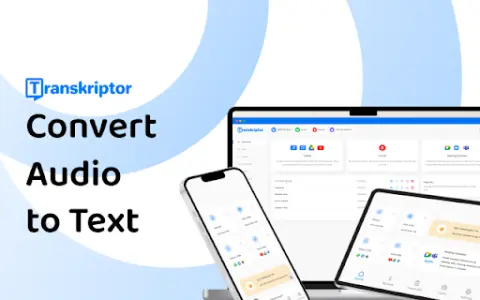
Transkriptor is an AI-powered browser extension that enables fast and secure text transcription of audio files in various formats. It converts audio content into readable text and offers additional features such as subtitle generation, automated meeting minutes creation, and translation into over 100 languages. The extension is available through mobile apps, Chrome extensions, and can be integrated with platforms like Zoom, Microsoft Teams, and Google Meet.
How to use the Transkriptor AI Chrome extension/plug-in?
1. Register an account on Transkriptor.
2. On the dashboard, you can directly upload or record audio files, or paste a web link.
3. Please check your email to download the completed transcription file.
4. Use a rich-text editor to edit the transcription file, and then download it in the format of your choice (SRT, TXT, or Word).
The core functionality of the Transkriptor AI Chrome extension/plug-in
AI-driven transcription
Subtitle generation
Automation of meeting minutes recording
Supports transcription in over 100 different languages.
Remote and collaborative editing
Transcribe from the link.
Multi-speaker recognition
Related
National Library of Philosophy and Social Sciences
The National Philosophy and Social Sciences Literature Center is a documentation platform established under the leadership of the Chinese Academy of Social Sciences and constructed by its Library. It primarily serves the fields of philosophy and social sciences, providing access to materials related to education, history, literature, economics, and other disciplines. The platform is open to the public for charitable purposes, and registered users can download relevant content from it.
Loomy
Recently, there are more and more desktop AI assistants, but there are not many products that can truly go from "answering questions" to "operating computers". Loomy launched by iFlytek takes the desktop AI Agent route. It is not simply to put a chat window in the computer, but to
VidHub
VidHub is a cross-platform video player whose core feature is the ability to consolidate and manage movies and TV shows from cloud storage, NAS, and local drives all within a single player. Simply put, it lets you create your own personal media library manager. If you’re a NAS user or want to use a single player to
AOMEI Partition Assistant
Regarding partitioning tools, there are well-known DiskGenius or EaseUS Partition Master. Why do I recommend AOMEI Partition Assistant in Tbox Navigation? Because it is too friendly to novices. A computer from many years ago recently had a 150G C drive.
ip111.cn
ip111.cn is an online IP query website. Its main focus is not on complex network analysis, but on quickly checking the current network exit IP. Unlike some sites that only display "local public network IP", it will split the results into several common scenarios for display: testing from domestic, testing from abroad
Olib
Olib is an open-source third-party client for the Z-Library e-book platform, currently available as apps for Windows and Android devices. It enables users to more conveniently search for and download e-books from Z-Library on both Windows and Android smartphones. Moreover, what’s even more important is that…