AI TOOL / #06413
Audiotext AI
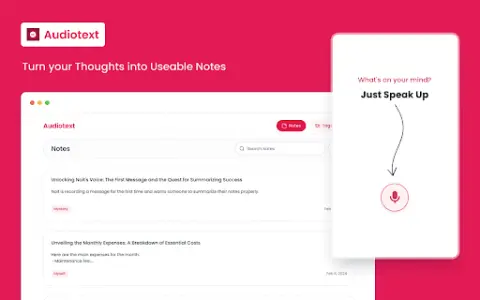
Audiotext AI converts audio to text, removes filler words, and offers multiple transcription styles.
Introduction
Audiotext AI converts audio to text, removing filler words and offering various transcription styles.
What is the Audiotext AI AI Chrome extension/plugin?
Audiotext AI can convert audio into accurate text by removing unnecessary words and generating concise summaries. It allows users to transcribe speech into text, offering multiple styles such as short summaries, bullet points, passive voice, and active voice.
How do I use the Audiotext AI Chrome extension/plugin?
1. Speak naturally, including filler words. 2. Choose a transcription style (short summary, long summary, bullet points, etc.). 3. Click "Transcribe."
Core features of the Audiotext AI Chrome extension/plugin
Audio to text
Remove unnecessary words.
Concise Summary
Rewriting with AI for style adjustment
Shareable note link
Related
Image Search
Reverse image search extension, used for finding similar images, social media content, and detecting the unauthorized use of images.
OPIC
An AI-powered platform for sharing activity photos, featuring facial recognition and brand-related features.
Gatherpro.events
An artificial intelligence-based platform for managing activity photos, which makes it easy to upload, organize, and share photos.
Face Recognition, Liveness Detection, ID Document Recognition SDK
MiniAiLive provides biometric authentication and OCR solutions to ensure secure identity verification across industries.
Dore AI
DoreAI: An AI mobile development kit designed for use in iOS and Android applications.
Twinit
An AI-based beauty platform designed for skin analysis and personalized recommendations for cosmetics.