AI TOOL / #06308
YouTube Transcript Generator
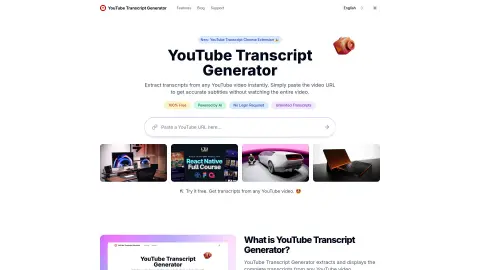
Extract and display the subtitles of YouTube videos, making it easy to access and review them.
Introduction
Extracts and displays YouTube video transcripts for easy access and review.
What is the YouTube Transcript Generator?
The YouTube Subtitle Generator extracts and displays the complete transcript of any YouTube video. It allows you to quickly access, read, and save the content of a video without having to watch the entire video itself – making it much easier for you to find specific information or review the content at your own pace.
How to use the YouTube Transcript Generator?
1. Copy the URL of the YouTube video. 2. Enter the URL in the input box and click the “Transcript” button. 3. View, search for, or download the transcript in the format of your choice.
The core functions of the YouTube Transcript Generator
Extracting transcripts from any YouTube video
Supports multiple download formats (TXT, DOCX, VTT, SRT).
Provide searchable text transcripts.
Applicable to any publicly available YouTube video.
Provides unlimited access, with no daily restrictions.
No login required
Related
Qidian Chinese Website
Online novel platform
Edge add-ons
Edge browser extensions
Gold mining
Developer community
TapTap
Mobile game community
Book Dash
If you want to find some English picture books for your children, but don’t want to buy a whole set of books right away, you can check out Book Dash first. Book Dash is a non-profit organization based in South Africa that invites writers, illustrators, designers and other professionals to volunteer to create works with African life and cultural characteristics.
Kiwix
An artifact that puts Wikipedia in your pocket!! Kiwix is an open source tool specially used to browse Wikipedia offline. It downloads Wikipedia, e-books, teaching materials and other content locally in advance, and then you can search and read like ordinary web pages even if there is no network. K