AI TOOL / #06204
Topicflow Chrome Extension
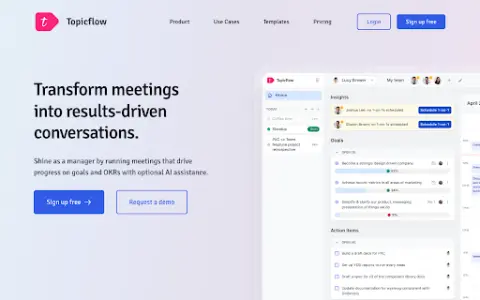
Topicflow uses AI to transcribe and generate summaries for Google Meet meetings.
Introduction
Topicflow transcribes and summarizes Google Meet meetings with AI.
What is the Topicflow AI Chrome extension/plug-in?
Topicflow enhances the functionality of Google Meet by providing real-time transcription of meetings along with AI-driven summary features. Users can directly view and edit meeting transcripts within Google Meet. By using Topicflow to transcribe meetings, users can leverage AI to generate summaries and receive recommendations, thereby improving meeting efficiency and ensuring that important information is properly preserved.
How to use the Topicflow AI Chrome extension/plug-in?
Install the Topicflow extension for Google Meet. During the meeting, enable the transcription feature within Topicflow. Afterwards, the AI will generate summaries and recommendations based on the transcribed content. Users can directly view and edit the meeting minutes within the Google Meet interface.
The core functions of the Topicflow AI Chrome extension/plug-in
Real-time transcription of Google Meet meetings
AI-driven meeting summary functionality
Taking and editing notes during meetings
AI-driven recommendations for action items and key topics
Related
Dilog
Use AI to simulate the customer interface for a few minutes in order to test your ideas.
IrisGo
It seems that this desktop AI automation can be easily reproduced just by following your steps once.
Vresk
A unified AI dialogue workbench that aggregates multiple open source large models
RemoveText.video
An AI tool that can remove hard subtitles, text, and icons from videos online.
Kilo Code
An open-source AI programming agent that supports over 500 different models.
Hemory
Give AI agents portable memory.