AI TOOL / #04189
PageSage
An AI browser assistant for quickly accessing information on web pages.
Introduction
AI browser assistant for quick answers from webpages.
What is the PageSage AI Chrome extension/plugin?
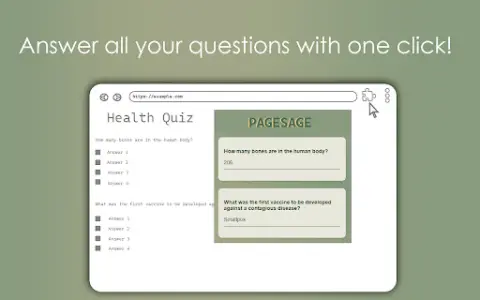
PageSage is an AI-powered browser assistant that scans the current webpage and uses AI to display convenient pop-up answers. Users can highlight a question, right-click, and select “Answer this question” to get an answer in a pop-up window. For multiple questions, users can click the extension icon to get answers to all questions on the webpage.
How do I use the PageSage AI Chrome extension/plugin?
Highlight a question on the webpage, right-click, and select “Answer this question” to get the answer in a pop-up window. Alternatively, click the extension icon to get answers to all questions on the page.
Core features of the PageSage AI Chrome extension/plugin
AI-powered question answering
Web page scanning
Pop-up display of the answer
Related
Ownkube
A single prompt is all that is needed to deploy the application and make it available online in the cloud.
DeSmuME
An open-source Nintendo DS emulator that is compatible with Windows, macOS, and Linux platforms. Focusing on compatibility and stability, it is one of the most advanced emulators for running NDS games.
PPSSPP
The most popular open-source PSP emulator, compatible with Windows, Android, iOS, macOS, and Linux. It is renowned for its efficiency and cross-platform compatibility, allowing it to run nearly all PSP games smoothly, while also supporting high-definition rendering and texture enhancement features.
BizHawk
An open-source simulator tool designed for TAS creation and multi-system emulation, supporting a wide range of platforms including NES, SNES, GB, GBA, N64, and more. It is renowned for its accurate debugging capabilities and powerful TAS tools.
Yogurt
Open-source, free local AI-based meeting recording solution
Canyon Code
Observation and Governance Platform for Enterprise AI Workflows