AI TOOL / #04118
CEBot
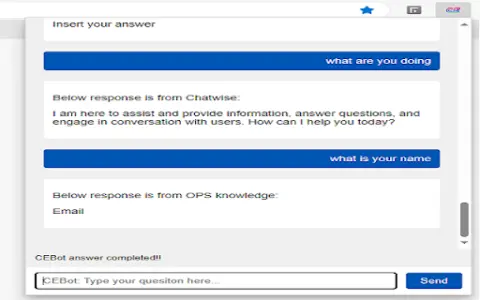
Qualcomm CE's question-answering system based on large language models.
Introduction
LLM based Q&A system for Qualcomm CE.
What is the Qualcomm CEBot AI Chrome extension/plug-in?
QCOM CEBot is a question-and-answer system based on large language models, specifically designed for Qualcomm CE devices. It can be used by clicking with the left mouse button or by pressing Ctrl+Shift+Z.
How to use the Qualcomm CEBot AI Chrome extension/plug-in?
Use CEBot by clicking with the left mouse button or pressing Ctrl+Shift+Z.
The core functions of the Qualcomm CEBot AI Chrome extension/plug-in
Question-answering system based on large language models
Related
MyArchitectAI
AI rendering software for quickly obtaining realistic rendering effects, compatible with a variety of CAD software.
SnapStager
An AI-driven virtual room planning tool, designed to enable quick and cost-effective way of arranging rooms.
InteriorPup
Users can redesign their rooms without having to hire an interior designer.
My Wall AI
Artificial intelligence-powered tools designed to help users customize and visualize various options for wall decorations.
Interior Render AI
AI-powered tools that can instantly generate interior design renderings based on photos and descriptions.
HomeVisualizer.AI
An AI-powered tool that enables instant visualization of room designs.