AI TOOL / #03966
OneClick AI
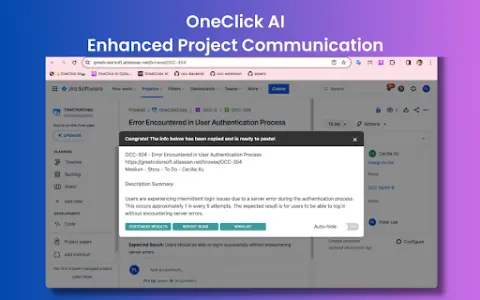
OneClick AI simplifies workflows by allowing users to extract and summarize content with just one click.
Introduction
OneClick AI streamlines workflows by extracting and summarizing content with a single click.
What is the OneClick AI Chrome extension/plugin?
OneClick AI is a tool designed to streamline workflows by enabling one-click extraction and summarization of content. It enhances productivity in areas such as project management, cross-team collaboration, personal research, and information sharing. The tool allows users to customize the appearance of the results, and all extracted data is immediately copied to the clipboard for further use.
How to use the OneClick AI Chrome extension/plug-in?
You can activate OneClick AI by clicking on the expansion icon in the toolbar, right-clicking to open the context menu, pressing the shortcut key, or right-clicking on the expansion icon in the toolbar.
The core functionality of the OneClick AI Chrome extension/plug-in
One-click extraction and summarization of content
Multilingual summary
The result is automatically copied to the clipboard.
Related
KwalAI
This Chrome extension allows candidates to be added directly to the Kwal recruitment platform, thereby simplifying the data entry process.
Uktob.ai
AI-based solutions for customer service, sales, and lead generation, equipped with autonomous AI agents.
Rep.ai
A B2B AI real-time chat platform designed to assist in generating potential customers and converting leads into sales.
Trellus
An AI assistant for sales calls that provides real-time guidance and automation.
Astro
An AI assistant that enhances productivity, capable of integrating with corporate systems via voice or text.
monobot.ai – Virtual AI Assistant
Monobot AI automates tasks and provides customizable AI-based chatbots available 24/7.