AI TOOL / #02660
Grok Button
A browser extension that provides quick access to Grok AI.
Introduction
A browser extension for quick access to Grok AI.
What is a Grok Button?
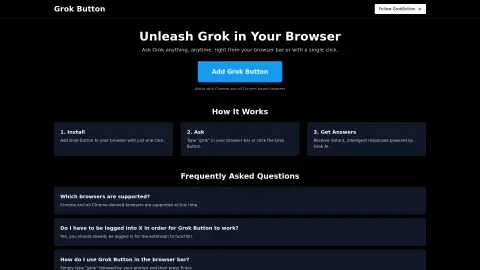
The Grok button is a browser extension that seamlessly integrates the powerful capabilities of Grok AI into your web browser. Users can submit their questions by entering “grok {your question}” in the browser address bar or by clicking the Grok button, and they will receive instant, intelligent responses.
How to use the Grok Button?
Install the Grok button extension. To use it, enter “grok” followed by your question in the browser address bar, then press Enter, or click the Grok button.
The core functionality of the Grok Button
Quickly access Grok AI from your browser.
Answer questions immediately
Integration with Chrome and Chrome-based browsers
Related
Jarbas
An AI platform that automates customer support, enhances team productivity, and offers features for managing agents independently as well as creating content.
DataSpark AI
A multi-agent platform for enterprise automation and growth.
Bytebot
Bytebot uses natural language processing and AI to simplify the process of web scraping and automation.
Thunai
An artificial intelligence platform that transforms organizational knowledge into intelligent agents in order to achieve automation.
Redcar
An AI-powered sales agent that automates the generation of B2B prospects and the entire sales process.
◯˚GitStart AI Ticket Studio
GitStart utilizes AI and developer expertise to deliver flexible engineering capabilities, enabling faster software development.