AI TOOL / #02529
Text to Google Calendar
Chrome extension: Allows users to create Google Calendar events directly from highlighted text.
Introduction
Chrome extension to create Google Calendar events from highlighted text.
What is the Text to Google Calendar AI Chrome extension/plug-in?
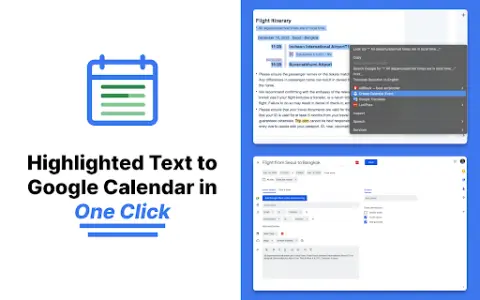
Text to Google Calendar is a Chrome extension designed to simplify the process of creating events on Google Calendar. It allows users to highlight text from emails or web pages and convert that text into calendar events with just one click, eliminating the need to manually copy and paste event details.
How to use the Text to Google Calendar AI Chrome extension?
Install the Text to Calendar Chrome extension. Highlight the relevant text containing event details (date, time, description, location) on a web page or in an email. Click the extension icon, and it will automatically use the extracted information to create a Google Calendar event.
The core functionality of the Text to Google Calendar AI Chrome extension.
Click to create an event based on the highlighted text.
Automatically fill in the time zone, location, and event details.
Easily create multiple and duplicate calendar events.
Related
Movielyzer
An artificial intelligence-powered video search tool that assists users in accurately finding the content they are looking for.
Drive Guardian AI | Dash Cam
An intelligent dashcam application with AI capabilities, offering both recording functions and cloud-based parking management options.
Homes Like This
A visual search engine designed to help find properties that are visually similar to those currently on the market for sale.
ImagenATexto
Online tools can convert images into text and support a variety of formats and languages.
Conversease
An AI chat platform interface designed for seamless interaction with OpenAI and Mistral models.
Camocopy
Privacy-centered AI assistants and search engines comply with GDPR standards.